` outside which we want to detect clicks
```
const mainRef = useRef();
```
and pass it as the `ref` prop to the div
```
```
In our click handler, we will check whether the `event.target` lies inside the target element. We can do that using the [`contains` function](https://htmldom.dev/check-if-an-element-is-a-descendant-of-another/). For now, we will just log if the click is outside the element
```
const onOutsideClick = (e) => {
const inMain = mainRef.current.contains(e.target);
const isOutside = !inMain;
if (isOutside) {
# call the outside click handler here
console.log("Clicked ouside");
}
};
```
We want to listen to clicks on the whole document as soon as the component mounts or whenever the ref changes. We will do that using the [useEffect](https://reactjs.org/docs/hooks-effect.html) hook.
```
useEffect(() => {
document.addEventListener("click", onOutsideClick);
// cleaning up the event listener when the component unmounts
return () => {
document.removeEventListener("click", onOutsideClick);
};
}, [mainRef]);
```
Our `src/App.js` will now be like:
```
import { useEffect, useRef } from "react";
import "./styles.css";
export default function App() {
const mainRef = useRef();
const onOutsideClick = (e) => {
const inMain = mainRef.current.contains(e.target);
const isOutside = !inMain;
if (isOutside) {
console.log("Clicked ouside");
}
};
useEffect(() => {
document.addEventListener("click", onOutsideClick);
return () => {
console.log("cleanup");
document.removeEventListener("click", onOutsideClick);
};
}, [mainRef]);
return (
);
}
```
That's it. We now just need to extract this functionality in a custom hook.
## Creating a custom hook
Create a new file called `useOutsideClick.js`. We will now copy over the code from our `src/App.js` file to `src/useOutsideClick.js` and update it to accept the `componentRef` and the `outsideClickHandler`
```
# src/useOutsideClick.js
import { useEffect } from "react";
export const useOutsideClick = (componentRef, outsideClickHandler) => {
const onOutsideClick = (e) => {
// updated this to use the passed componentRef
if (!componentRef.current) {
return;
}
const inMain = componentRef.current.contains(e.target);
const isOutside = !inMain;
if (isOutside) {
outsideClickHandler();
}
};
useEffect(() => {
document.addEventListener("click", onOutsideClick);
return () => {
console.log("cleanup");
document.removeEventListener("click", onOutsideClick);
};
}, [componentRef]);
};
```
We will now use this inside our app.
```
#src/App.js
import { useEffect, useRef } from "react";
import "./styles.css";
import { useOutsideClick } from "./useOutsideClick";
export default function App() {
const mainRef = useRef();
useOutsideClick(mainRef, () => console.log("Clicked outside"));
return (
);
}
```
And things work perfectly 🎉
## Example
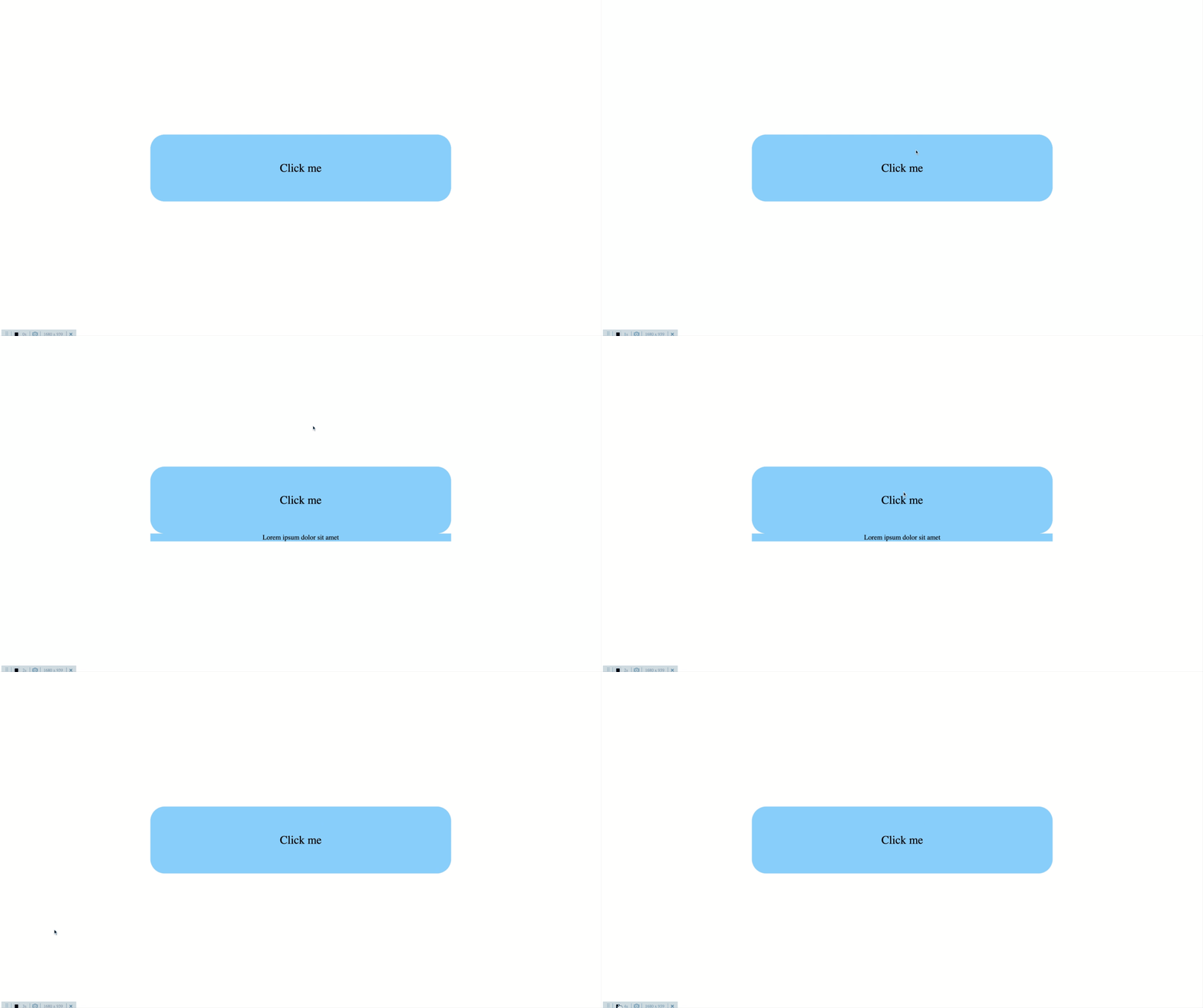
We will now update our app to showcase one of the use cases. When the user clicks the blue `
`, we will show more content below it. We will hide this content when the user clicks anywhere outside this button on the screen. We maintain this state in the state variable `expanded`
```
#src/App.js
import { useEffect, useRef, useState } from "react";
import "./styles.css";
import { useOutsideClick } from "./useOutsideClick";
export default function App() {
const mainRef = useRef();
// initially not expanded
const [expanded, setExpanded] = useState(false);
// set `expanded` to `false` when clicked outside the
useOutsideClick(mainRef, () => setExpanded(false));
return (
// set `expanded` to `true` when this
is clicked
setExpanded(true)}>
Click me
// show more details only when `expanded` is `true`
{expanded &&
Lorem ipsum dolor sit amet
}
);
}
```
```
/* src/styles.css */
/* add this */
.more {
text-align: center;
font-size: 1.2rem;
background: lightskyblue;
}
```
This is how things look now
### Summary
Hooray! We have written our first custom hook. You could also check out one of the widely used custom hook libraries( [react-use](https://streamich.github.io/react-use/) or [rooks](https://react-hooks.org/) ) and try to recreate one of the hooks for practice